Sunday, November 29, 2015
Reflection
Now that the semester is coming to an end I would like to take a
chance to reflect on everything that I have learned. Coming into this
class, I knew very little about assistive technology. I used to
associate assistive technology with high end electronic products. But
now I know this is not the case since assistive technology exists on a continuum, beginning with low tech, progressing to mid-tech and then to high-tech devices. I have learned the importance of Universal Design
in my undergrad classes but I still felt unsure about how to meet the
needs for all different types of learners. However, from this class I
learned about SO many different resources that are out there to
help educators meet all the areas within UDL (multiple means of
representation, multiple means of action & expression, and multiple
means of engagement). From these resources, I was able to reflect on a previous lesson of mine and add more UDL components to make my lesson one of the best! I also was unaware of all the UDL features that computers already have to accommodate for all people. It was amazing to learn about all these features and actually be able to test them out on my own computer! I also had the opportunity to research AT products and understand their functions. It made me realize that there are so many devices out there to help all different disabilities. And these devices truly help students to show their full potential in the classroom! I have learned so much more that I couldn't possibly be able to fit it all within one blog post (that's why you should read my other blog posts to see what else I've learned ☺). From my first blogs to my blogs currently, I can see a big difference in how much I have learned. I am now comfortable using terminology relating to AT and finding resources. Having this blog will help me a lot in my future classroom. I will be able to refer back to these wonderful resources and be able to incorporate them to strengthen my lessons. Thank you for embarking on this educational journey with me, I hope you have learned just as much as I have!

Social Story
Just like picture schedules, social stories can help students throughout the day. Social stories were created by Carol Gray in 1991 to help teach social
skills to people with autism. They are short descriptions of a
particular situation, event or activity, which include specific
information about what to expect in that situation and why. In one of my classes last year I had the opportunity to create a social story for a child who had difficulty going to the hairdresser. Below I have provided the social story for you:


Here are some tips and resources for making a social story:
- http://challengingbehavior.fmhi.usf.edu/explore/pbs_docs/social_story_tips.pdf
- http://www.friendshipcircle.org/blog/2013/02/11/12-computer-programs-websites-and-apps-for-making-social-stories/
- http://www.autism.org.uk/living-with-autism/strategies-and-approaches/social-stories-and-comic-strips/how-to-write.aspx
Picture Schedule
In my previous blog, I discussed what visual supports are and their purpose. In this post I will be showing an example of a picture schedule a student with Autism might use for his/her day. It's important to have pictures that appropriately match the activity so the student is not confused. You could even make the picture schedule with the student and allow them to pick out the pictures. Real pictures could also be used which would make it more personal to the child!


Apps Used to Provide Visual Support

- iPrompt (HandHold Adaptive): has picture based prompts that have been configured by teachers and parents to help students stay on task and transition between activities.
- iCommunicate (Grembe): can create picture schedules and provide the option to record messages linked to each picture.
- Picture Planner (Cognitopia): students can construct personalized picture schedules for themselves on a computer and then use the schedules either in a printed version or on mobile devices.
Saturday, November 28, 2015
AT Accommodations for Students with Disabilities in College
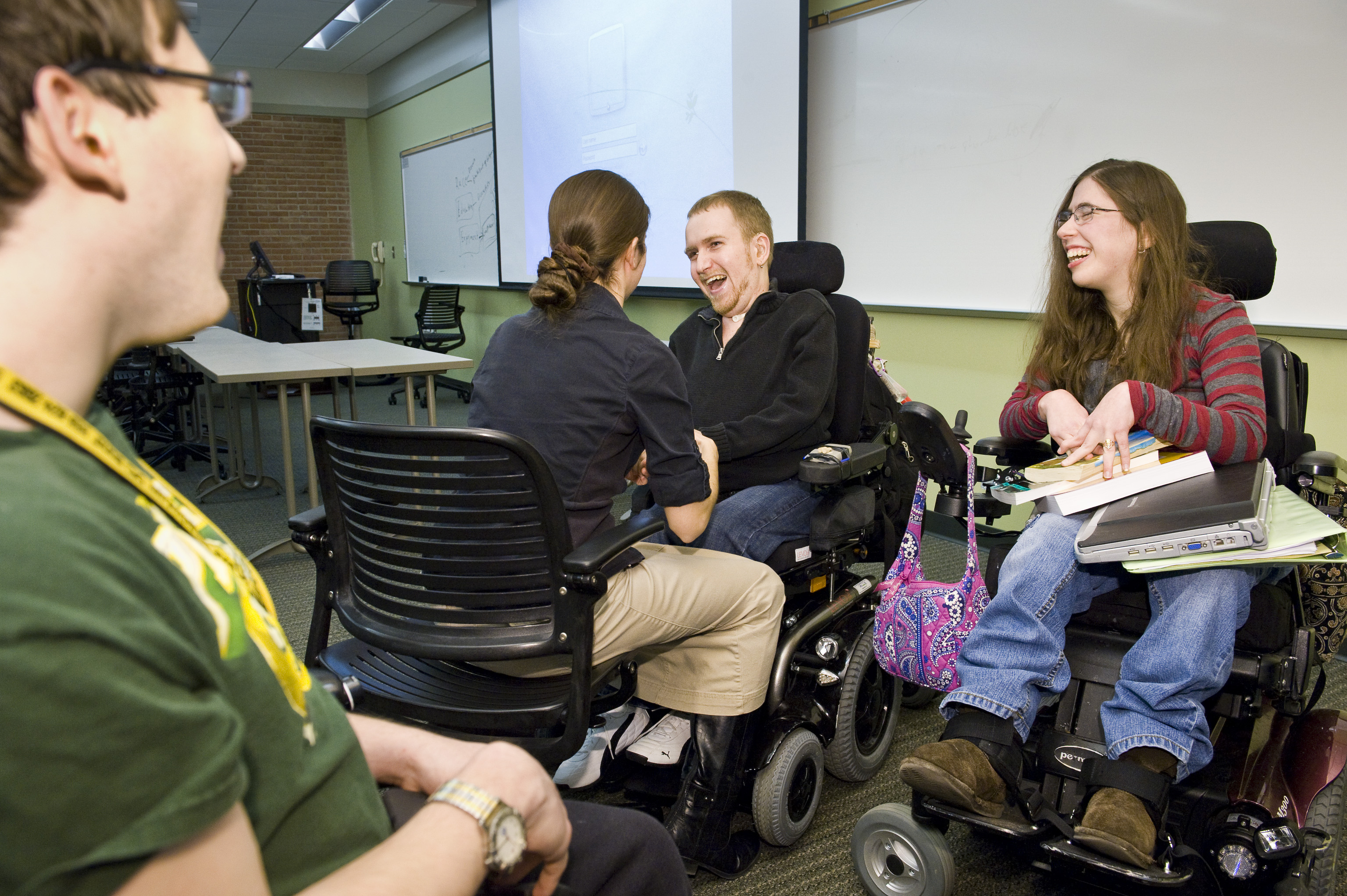
- Computers (all computer offer a variety of AT services and tools already built in)
- Portable note taker/smart pen to record lectures and sync to notes
- Sign language interpreters
- Assistive listening system
- Word processing application for essay exams
- Use of a calculator
- Text-to-speech software
- Captioned videos
- Providing handouts in electronic format
- E-text
- Audio books
- Screen magnification applications
- Graphic organizer applications
- Providing a telecommunication device for the deaf (TTY)
Dell, A., Newton, D., & Petroff, J. (2012). Assistive technology in the classroom. (2nd ed., pp. 3-22). Upper Saddle River: Pearson.
Assistive Technology Implementation Resources
Here are two great resources for implementing assistive technology! Click the links for these resources to find out more information:
1.
Resource: Assistive Technology Implementation: Working Together to Make a Measurable Difference
URL: http://www.texasat.net/default.aspx?name=trainmod.implem
About: Complete instructional module on AT implementation from the Texas Assistive Technology Network that includes an implementation form
2.
Resource: Assistive Technology Model Operating Guidelines
URL: http://www.otap-oregon.org/Pages/Default.aspx
About: Complete guidelines by clicking on OTAP Publications. Implementation plans are also available!
Dell, A., Newton, D., & Petroff, J. (2012). Assistive technology in the classroom. (2nd ed., pp. 3-22). Upper Saddle River: Pearson.
1.
Resource: Assistive Technology Implementation: Working Together to Make a Measurable Difference
URL: http://www.texasat.net/default.aspx?name=trainmod.implem
About: Complete instructional module on AT implementation from the Texas Assistive Technology Network that includes an implementation form
2.
Resource: Assistive Technology Model Operating Guidelines
URL: http://www.otap-oregon.org/Pages/Default.aspx
About: Complete guidelines by clicking on OTAP Publications. Implementation plans are also available!
Dell, A., Newton, D., & Petroff, J. (2012). Assistive technology in the classroom. (2nd ed., pp. 3-22). Upper Saddle River: Pearson.
Vocabulary

- Hello
- How are you?
- Good.
- Thank you.
- Please.
- Do you know where _______ store is?
- I would like ___________.
- Clothes
- Shoes
- Shirt
- Jacket
- Sweater
- Pants
- Jeans
- Purse
- I am a size medium for shirts.
- Do you have this in a size medium?
- I am a size 7 for shoes.
- Do you have this in a size 7?
- I would like to try this on.
- I like this!
- I don't like this!
- Yes
- No
- How much do I owe you?
- Cash
- Credit card
- I would like a receipt.
- Have a nice day.
- Goodbye.
- I am done shopping.
- I would like to continue shopping.
- I would like to go to the food court.
What other vocabulary words do you think should have been on this list?
Subscribe to:
Posts (Atom)