Thursday, April 14, 2016

Reflection

Many of the disabilities we read about in our text I have heard about and was familiar with, however there were some I only knew the basics. This course allowed me to learn more in depth information about these disabilities that I did not know about previously. The most interesting part was learning about the different needs each individual disability require in order to function and show success in the classroom. Understanding the needs these individuals entail made me better understand their disability. I also enjoyed looking at the many different types of assistive technology devices that could be useful toward the different disabilities discussed. Some of the assistive technology devices I had learned about previously, in which I was able to relate the posts to one another, but some I found new AT devices that I never heard about before. There are so many amazing devices out there that truly assist the student to perform successfully in and out of the classroom! This course has allowed me to open my eyes at the many struggles individuals with disabilities go through every single day. Simple tasks to us, can be major challenges for others. That is why I feel special education teachers have the most rewarding job. We get to see the "small" differences each day and get to watch our students grow. Special education teachers are remarkable individuals who truly want their students to achieve their goals and succeed in the classroom and beyond! I'm proud to be making a difference in the lives of young children and this course has made me appreciate the field even more!

Thank you for embarking on this journey with me!

Now, I have some questions for you...
  1. What is something new that you learned?
  2. Have you used any of the AT devices that I had mentioned? Which ones? Were they effective?
  3. Which AT device made you most interested in using in your classroom? Why?

Monday, April 4, 2016

Physical/Health Impairments

Physical disabilities are related to a physical deformity or impairment of the skeletal system and associated motor function; physical impairments; and orthopedic impairments. Health disabilities are defined as chronic or acute health problems resulting in limited strength, vitality, or alertness; other health impairments.
General Characteristics:
"Characteristics of students with physical and health disabilities are as unique to the individuals as the conditions that created their special needs." (page 309)
(The text book discusses three of the more common, though still low-incidence, conditions seen at school - epilepsy, cerebral palsy, and sickle cell anemia) 
Strengths & Abilities:
Individuals with physical or health impairments have unique strengths and abilities and can not be generalized. With intervention and support, these individuals can excel in school, make friendships and be active in the community (ex. playing sports!).
Needs: (page. 313 & page 321)
  • Close monitoring 
  • Plan for peers to bring assignments home and explain them when student is absent
  • Makeup work to stay current with assignments in hospital 
  • To have a water bottle at desk and frequent bathroom breaks
  • Rest periods
  • Safe and sterilized classroom and school environments
  • Extended time
  • Flexible due dates
  • Instructional accommodations in testing
  • Scheduling and setting accommodations
  • Directions and items read to student 
  • Special or adapted pencils
  • Book holders
  • Page turners
  • Safe and secure space to store AT devices
  • Classroom with universal design features
Examples of Assistive Technology:
  1. Adapted Keyboard
  2. Book Holders - keep books at the correct level to see print on page
Resources:

Speech and Language Impairments

The Individuals with Disabilities Education Act, or IDEA, defines the term “speech or language impairment” as follows:
“(11) Speech or language impairment means a communication disorder, such as stuttering, impaired articulation, a language impairment, or a voice impairment, that adversely affects a child’s educational performance.”
General Characteristics:
"Children with speech and language impairments are a large and diverse group of learners. Some have speech disorders, many have language disorders, some have both speech and language disorders, and still others have coexisting disabilities (e.g., learning disabilities and language disorders)" (page. 127).
 Strengths & Abilities:
  • Individuals with speech and language impairments are very different from one another and have many unique strengths and abilities. With intervention, students can overcome their difficulties and do well in school.
Needs:
  • Classrooms with interesting materials and high-interest activities
  • Oral communication (group activities)
  • Reasons to talk
  • Modeling from teacher on correct language
  • Wait time for student who may be experiencing word retrieval difficulties
  • Directions rephrased
  • Physical cues from teacher
  • Chances to ask questions when confused
Examples of Assistive Technology: (page. 147 of our text has a whole section about technology devices that can help individuals with speech or language impairments communicate more effectively at school & in the community)
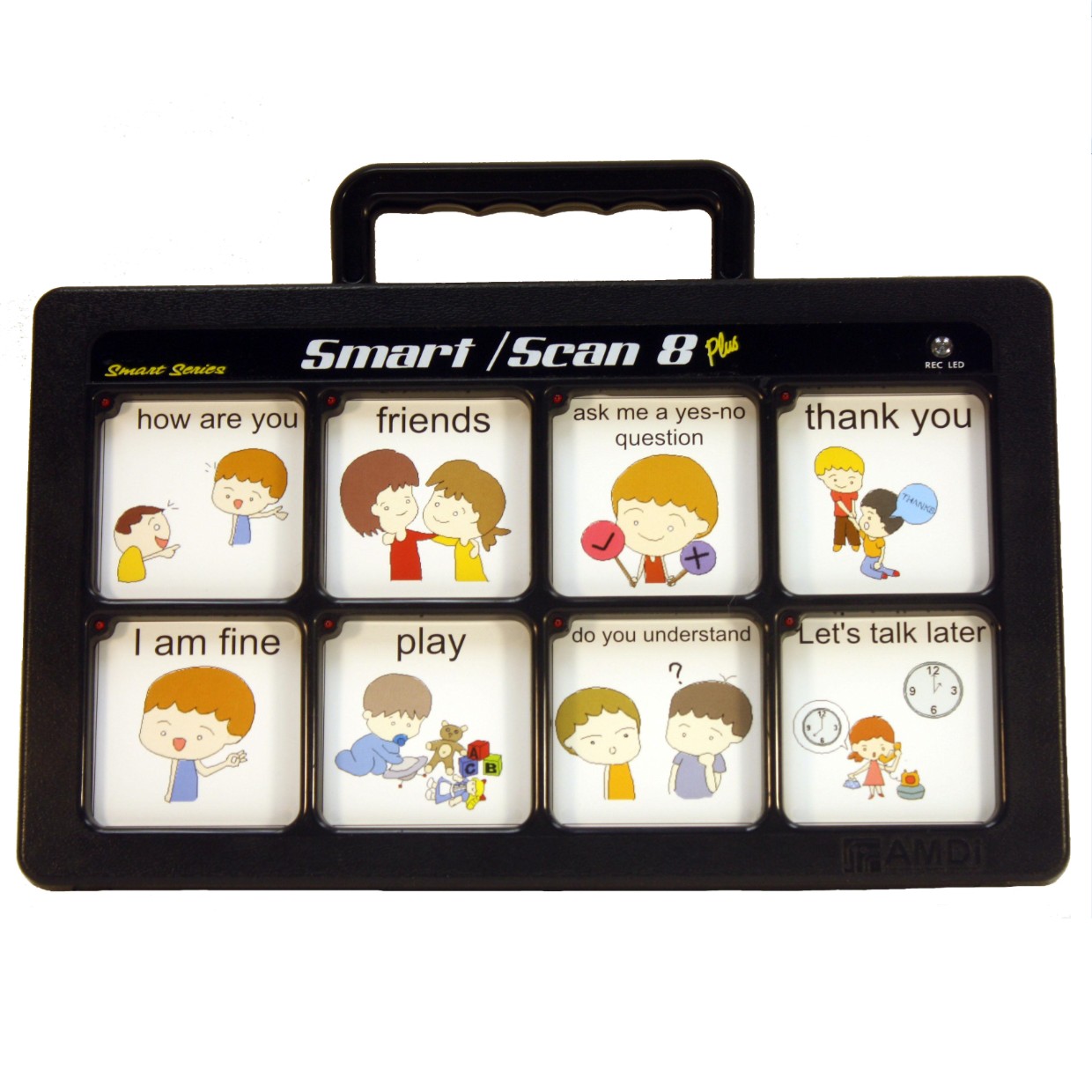
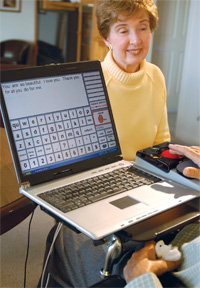
  1. Augmentative and alternative communication (AAC) devices provide different means for individuals with speech or language impairments to interact and communicate with others. Here is my post about AAC devices and a video of a girl using one at Walmart!  
     2. Communication board - low tech assistive technology device that display pictures or words that the individual can point to in order to communicate.
Resources:

Deaf and Hard of Hearing

Being deaf is defined as having a profound hearing loss. Hard of hearing is defined as hearing loss that impair understanding of sounds and communication.
General Characteristics:
"It's hard to generalize about students with hearing loss. They are all individuals with different learning styles and abilities, but they do share one characteristic: their ability to hear is limited." (page 339)
Strengths & Abilities:
  • Better at processing peripheral vision and motion
  • Brain rewires to compensate for lack of hearing (other senses become heightened) 
  • Individuals who are deaf or hard of hearing are typically able to live a completely normal life. Their unique strengths and abilities can differ from individual to individual. With early intervention, students who are deaf and hard of hearing are able to excel in school and beyond.
Needs: (page. 356)
  • Teacher to articulate clearly and somewhat slowly
  • Teacher to repeat information by paraphrasing
  • To be addressed directly & by first name first, before asking a question
  • Peer buddy/note taker
  •  Reduction of classroom's background noise
  • Reminders to check batteries for technology and assistive listening devices daily
  • Handouts to support information from lectures, guest speakers, field trips, and instructional media
Examples of Assistive Technology:

  1. Click Here to read about my post on HATS (Hearing Assistive Technology Systems)
  2. Visual signs (click here to read more)
Resources:

Cultural and Linguistic Diversity

Students who come from backgrounds different from American mainstream society are thought of as, culturally diverse. Individuals whose home language or native language is other than English are referred to as linguistically diverse.

General Characteristics:
  • "CLD students are distinctive in many ways. Many of their unique qualities are not the result of personality or behavioral traits but rather are attributes that are reflective of a language or culture that is different from that of America's mainstream. These students are often confusing to educators, who sometimes mistakenly misinterpret a difference as a disability or a problem. Instead, teachers should understand that a difference can be considered a strength and might best be addressed through a chance in teaching approach or an accommodation." (page 78)
Strengths & Abilities:
  • Can speak multiple languages
  • Can bring new ideas and perspectives due to their diverse background
Needs:
  • Recognize their own cultural beliefs and assumptions
  • Genuinely respectful and caring relationships 
  • The teacher to actively learn about the student's cultural backgrounds and use that knowledge in the classroom
  • Culturally appropriate classroom management strategies (Clearly define expectations, focus on positive behavior, deal with inappropriate behavior immediately)
  • Caring classroom community 
  • Provide text and questions in both English and native language
  • Acceptance of answers in either language
  • Translate directions
  • Extra time to take tests
  • Short breaks
Examples of Assistive Technology:
1. YakiToMe: this website has a free text-to-speech delivery. Students simply type or copy a passage of a text and it converts it to audio.
 2. Let's Go: This software was created for children beginning their English study. It "combines a carefully controlled grammatical syllabus with functional dialogues, alphabet and phonics work, reading skills development, listening tests, question and answer forms, pairwork exercises, and communicative games." 
Resources:

Thursday, March 24, 2016

Autism Spectrum Disorders

Autism is a complex neurobehavioral disorder that includes impairments in social interaction and developmental language and communication skills combined with rigid, repetitive behaviors.
General Characteristics:
  • Little to no eye contact
  • Peer play is rarely observed
  • Emotions are rarely displayed
  • Utterances are stereotypic and repetitive 
  • Conversations are not maintained
  • Many fail to use words 
  • Marked distress is typically experienced over trivial or minor changes in the environment
  • Daily routines can become ritualized
  • Obsessive and compulsive behavior is frequently displayed 
  • Rocking, hand-flapping are repeated in cycles difficult to stop
  • Aggression towards others
  • Self-injurious behavior
  • Loud sounds can result in fearful reactions
Strengths:
  • Rote memory
  • Remember information for long periods of time
  • Visual learning and thinking style
  • Concrete and literal activities
  • Ability to learn in detail and in 'chunks'
Abilities:
  • Use visual information meaningfully
  • Pay attention to small details and keep up attention, when motivated
  • Learn language in chunks (echolalia) by echoing and mimicking words or phrases
Needs: (found on pages 420-422)
  • Focusing on the discrete elements of the task being taught
  • Guided practice and reinforcing each step of a skill
  • Providing opportunities to interact with peers and rewarding when they do so
  • A schedule for their day
  • Structure and routine - avoid surprises
  • Direct statements
  • Feedback about the appropriateness of responses
  • Tasks that the individual can perform
  • Verbal communication with illustrations or pictures
Examples of Assistive Technology:
  1. iPads (here is a post about some Apps that children with Autism can use to help them throughout the day)
  2. Picture schedules (click here to read my post!)
Resources:

Gifted and Talented

Gifted or talented describes individuals with high levels of intelligence, creativity, outstanding abilities, and capacity for high performance.
General Characteristics: (pg. 468)
  • Intellectual ability
  • Specific academic apitude
  • Creative or productive thinking
  • Leadership ability
  • Visual and performing arts
Strengths:
  • Excels in certain areas of subject matter
  • Talented in the arts 
  • Excellent memory
  • Large vocabulary
Abilities:
  • Retains information quickly
  • Intrinsic motivation
  • High energy and alertness
  • Creative
  • Seeks to organize
  • Seeks cause and effect
Needs:
  • Accommodations through technology.
  • Access to enriched curriculum in education.
  • Accommodations on tests.
  • Opportunities to interact with other peers.
  • Curriculum that incorporates the theory of multiple intelligences. 
  • Opportunities for students to talk about stress and emotional difficulties. 
  • Role models and mentors who are also gifted and have learning disabilities.
Examples of Assistive Technology:
  1. Massive open online courses ( MOOC’s ) such as edX can allow students to begin experimenting with and engaging in college level coursework while still in high school.
  2.  Virtual thematic unit are great to integrate abstract complex ideas into the curriculum. (atozteacherstuff.com/themes)
Resources:

Intellectual Disabilities

Intellectual disability is a disability characterized by significant limitations in both intellectual functioning and in adaptive behavior, which covers many everyday social and practical skills.
General Characteristics: *characteristics are unique to each individual*
  • Problems with cognition
  • Problems with adaptive behavior
  • A need for supports to sustain independence
Strengths & Abilities:
Each individual has unique strengths and abilities and cannot be generalized.
Needs:
  • Natural supports - individuals own resources, family, friends, and neighbors.
  • Nonpaid supports - ordinary neighborhood and community (ex. clubs, recreational leagues)
  • Generic supports - services as public transportation and states' human services systems.
  • Specialized supports - disability-specific, such as human services delivered to families.
Examples of Assistive Technology:
  1. Screen magnification (you can read my post here
  2. Eye tracking software to allow expressive communication 
Resources:

Emotional Behavioral Disorders

 IDEA defines emotional disturbance as follows:
“…a condition exhibiting one or more of the following characteristics over a long period of time and to a marked degree that adversely affects a child’s educational performance:
     (A) An inability to learn that cannot be explained by intellectual, sensory, or health factors.
     (B) An inability to build or maintain satisfactory interpersonal relationships with peers and teachers.
     (C) Inappropriate types of behavior or feelings under normal circumstances.
     (D) A general pervasive mood of unhappiness or depression.
     (E) A tendency to develop physical symptoms or fears associated with personal or school problems.”

General Characteristics:
  • Hyperactivity (short attention span, impulsiveness);
  • Aggression or self-injurious behavior (acting out, fighting);
  • Withdrawal (not interacting socially with others, excessive fear or anxiety);
  • Immaturity (inappropriate crying, temper tantrums, poor coping skills); and
  • Learning difficulties (academically performing below grade level).
  • Those with more serious emotion disturbances may exhibit distorted thinking, excessive anxiety, bizarre motor acts, and abnormal mood swings.  
Strengths & Abilities:
They differ from individual since many cases of EBD are very different from one another. 
Needs:
  • Provide students with a high rate of opportunities to respond. 
  • Incorporate choice that allows students a chance to choose which task to complete first.
  • Having students complete a series of quick tasks that they are likely to complete without a struggle.
  • Maintain close proximity to students as your presence will help keep them engaged and control their behaviors.
  • Provide high rate of positive feedback and behavior-specific praise for correct responding.
Examples of Assistive Technology:
  1.  The Talklight- its light flashes according to the noise in the room. This helps self-monitoring of noise levels and positive reinforcements. 
  2.  Music players - iPods, mp3 players, and other devices can be used to help the child stay calm. 
Resources:

ADHD

 The National Institute of Mental Health defines ADHD as, a brain disorder marked by an ongoing pattern of inattention and/or hyperactivity-impulsivity that interferes with functioning or development.

General Characteristics:
  • inattention
    • doesn't pay attention to detail
    • careless mistakes
    • trouble focusing
    • appears to not be listening when spoken to
    • trouble staying organized
    • gets bored before a task is completed
  • hyperactivity 
    • constantly fidgets and squirms
    • moves around constantly 
    • often leaves seat in situations where sitting is expected
    • talks excessively 
    • may have a quick temper 
  • impulsivity
    • acts without thinking
    • blurts out answers
    • often interrupts others
    • guesses rather than taking time to solve a problem
Strengths & Abilities:
  • Creativity
  • Flexibility
  • Enthusiasm and spontaneity
  • Energy and drive 
  • Quick thinking
Needs:  (Found in Chapter 6 on page 215 of text)
  • Extended time for completion of assignments. 
  • Break instructional sequences or academic tasks into smaller segments to help maintain attention. 
  • Frequent, yet shorter, study periods.
  • Timers for specific tasks to help student focus.
  • Read directions to students to help them refocus.
  • Use computer word processing programs to assist with writing activities. 
  • Pointers and tracking devices to help students track text on a page. 
  • Extended time for test taking.
Examples of Assistive Technology:
  1. Electronic touch tablet (click here for my blog post)
  2. Portable word processor (click here for my blog post)
Resources:

Specific Learning Disabilities

Individuals with Disabilities Education Act (IDEA) includes a definition of “specific learning disability” —as follows:
(10) Specific learning disability —(i) General.  Specific learning disability means a disorder in one or more of the basic psychological processes involved in understanding or in using language, spoken or written, that may manifest itself in the imperfect ability to listen, think, speak, read, write, spell, or to do mathematical calculations, including conditions such as perceptual disabilities, brain injury, minimal brain dysfunction, dyslexia, and developmental aphasia.

General Characteristics: *Not all students will exhibit these characteristics*
  • academic problems
  • disorders of attention
  • poor motor abilities
  • psychological process deficits and information-processing problems
  • lack of cognitive strategies needed for efficient learning
  • oral language difficulties
  • reading difficulties 
  • written language problems
  • mathematical disorders 
  • social skill deficits 
Strengths and Abilities:
Learning disabilities are heterogeneous group which means they are a diverse group of individual. These children exhibit potential difficulties in many different areas. One child could have difficulty in reading but do very well in math, while another child could be the complete opposite. It's hard to write down strength and abilities because they greatly vary from individual to individual.

Needs: (Found in Chapter 5 page 180 of text)
  • Help students develop organization skills.
  • Establish set of rules for academic and social activities and tasks.
  • Individualize instruction; be sure the reading level is appropriate. 
  • Begin lessons with advance organizers.
  • Supplement oral and written assignments with learning aids (computers).
  • E-textbooks
  • Modify tests, allowing the student to take more time or complete the test in a different way (listen to a tape of the test).
  • Etc. 
2 Examples of Assistive Technoloy:
  1. Abbreviation Expanders - use with word processing, these software programs allow a user to create, store, and re-use abbreviations for frequently-used words or phrases. This can save the user keystrokes and ensure proper spelling of words and phrases he has coded as abbreviations.
  2. Audio books - Recorded books allow users to listen to text and are available in a variety of formats, such as audiocassettes, CDs, and MP3 downloads. Special playback units allow users to and search and bookmark pages and chapters. Subscription services offer extensive electronic library collections. (I actually have a whole blog post dedicated to audio books which you can find here)


Resources:

Hello EDG 505!

Welcome to my blog! On this blog I will be talking about many different disabilities and discussing their characteristics, strengths, abilities, and needs. I will also be providing examples of assistive technology that would support the needs of students with the particular disabilitiy. I hope you find my blog posts informative and can maybe use some of the examples of AT in your own classroom!

Sunday, November 29, 2015

Reflection

Now that the semester is coming to an end I would like to take a chance to reflect on everything that I have learned. Coming into this class, I knew very little about assistive technology. I used to associate assistive technology with high end electronic products. But now I know this is not the case since assistive technology exists on a continuum, beginning with low tech, progressing to mid-tech and then to high-tech devices. I have learned the importance of Universal Design in my undergrad classes but I still felt unsure about how to meet the needs for all different types of learners. However, from this class I learned about SO many different resources that are out there to help educators meet all the areas within UDL (multiple means of representation, multiple means of action & expression, and multiple means of engagement). From these resources, I was able to reflect on a previous lesson of mine and add more UDL components to make my lesson one of the best! I also was unaware of all the UDL features that computers already have to accommodate for all people. It was amazing to learn about all these features and actually be able to test them out on my own computer! I also had the opportunity to research AT products and understand their functions. It made me realize that there are so many devices out there to help all different disabilities. And these devices truly help students to show their full potential in the classroom! I have learned so much more that I couldn't possibly be able to fit it all within one blog post (that's why you should read my other blog posts to see what else I've learned ☺). From my first blogs to my blogs currently, I can see a big difference in how much I have learned. I am now comfortable using terminology relating to AT and finding resources. Having this blog will help me a lot in my future classroom. I will be able to refer back to these wonderful resources and be able to incorporate them to strengthen my lessons. Thank you for embarking on this educational journey with me, I hope you have learned just as much as I have!

Social Story

Just like picture schedules, social stories can help students throughout the day. Social stories were created by Carol Gray in 1991 to help teach social skills to people with autism. They are short descriptions of a particular situation, event or activity, which include specific information about what to expect in that situation and why. In one of my classes last year I had the opportunity to create a social story for a child who had difficulty going to the hairdresser. Below I have provided the social story for you: 
Here are some tips and resources for making a social story:

Picture Schedule

In my previous blog, I discussed what visual supports are and their purpose. In this post I will be showing an example of a picture schedule a student with Autism might use for his/her day. It's important to have pictures that appropriately match the activity so the student is not confused. You could even make the picture schedule with the student and allow them to pick out the pictures. Real pictures could also be used which would make it more personal to the child!


Apps Used to Provide Visual Support

Students who have cognitive disabilities, autism, and/or multiple disabilities often have difficulty with self-management and personal organization. Visual supports, such as picture schedules and activity sequences, can help these students become more organized. It can help reduce anxiety that students with disabilities face when they are transitioning from one activity to another. Here are some apps that provide visual support for students!:

  • iPrompt (HandHold Adaptive): has picture based prompts that have been configured by teachers and parents to help students stay on task and transition between activities. 
  • iCommunicate (Grembe): can create picture schedules and provide the option to record messages linked to each picture. 
  • Picture Planner (Cognitopia): students can construct personalized picture schedules for themselves on a computer and then use the schedules either in a printed version or on mobile devices. 
Dell, A., Newton, D., & Petroff, J. (2012). Assistive technology in the classroom. (2nd ed., pp. 3-22). Upper Saddle River: Pearson.

Saturday, November 28, 2015

AT Accommodations for Students with Disabilities in College

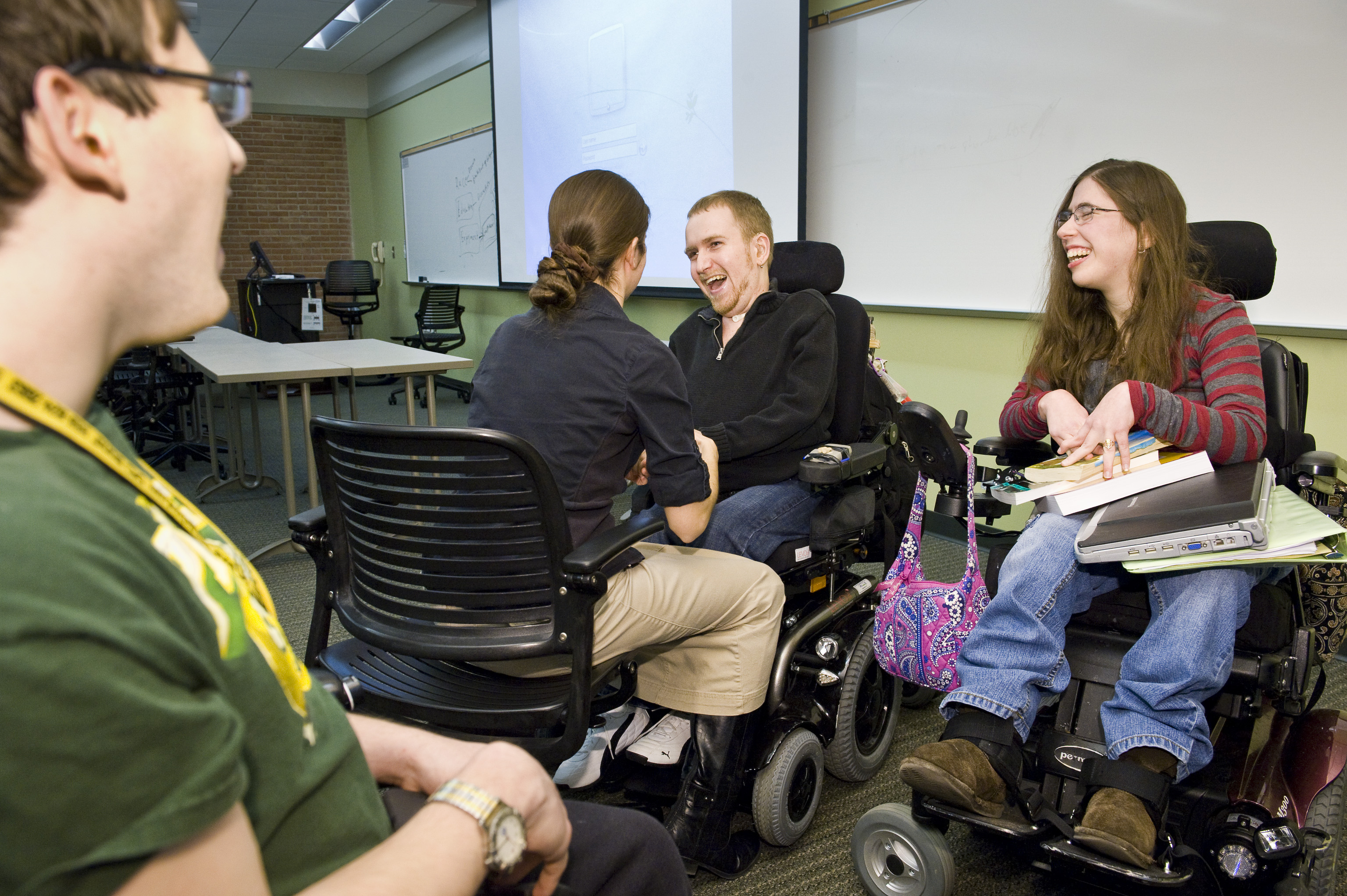
Even though there are no IEPs in college, there are still AT accommodations that can help students during classes, testing situations and completing assignments! Under Section 504 and the ADA, colleges must provide (at no cost to the student) reasonable accommodations to make their program accessible to students with disabilities. Below I have listed some accommodations for college students with disabilities:
  • Computers (all computer offer a variety of AT services and tools already built in)
  • Portable note taker/smart pen to record lectures and sync to notes
  • Sign language interpreters
  • Assistive listening system
  • Word processing application for essay exams
  • Use of a calculator
  • Text-to-speech software 
  • Captioned videos
  • Providing handouts in electronic format
  • E-text
  • Audio books
  • Screen magnification applications
  • Graphic organizer applications
  • Providing a telecommunication device for the deaf (TTY) 

Dell, A., Newton, D., & Petroff, J. (2012). Assistive technology in the classroom. (2nd ed., pp. 3-22). Upper Saddle River: Pearson.

Assistive Technology Implementation Resources

Here are two great resources for implementing assistive technology! Click the links for these resources to find out more information:

1.
Resource: Assistive Technology Implementation: Working Together to Make a Measurable Difference
URL: http://www.texasat.net/default.aspx?name=trainmod.implem
About: Complete instructional module on AT implementation from the Texas Assistive Technology Network that includes an implementation form

2.
Resource: Assistive Technology Model Operating Guidelines
URL: http://www.otap-oregon.org/Pages/Default.aspx
About: Complete guidelines by clicking on OTAP Publications. Implementation plans are also available!


Dell, A., Newton, D., & Petroff, J. (2012). Assistive technology in the classroom. (2nd ed., pp. 3-22). Upper Saddle River: Pearson.

Vocabulary

In my previous blogs, I have mentioned the importance of coming up with vocabulary words for students with augmentative communication devices that are relevant to them. In this post I will be coming up with vocabulary words that a high schooler would need at the mall to actively communicate.
  1. Hello
  2. How are you?
  3. Good.
  4. Thank you.
  5. Please.
  6. Do you know where _______ store is?
  7. I would like ___________.
  8. Clothes
  9. Shoes
  10. Shirt
  11. Jacket
  12. Sweater
  13. Pants
  14. Jeans
  15. Purse
  16. I am a size medium for shirts. 
  17. Do you have this in a size medium?
  18. I am a size 7 for shoes.
  19. Do you have this in a size 7?
  20. I would like to try this on. 
  21. I like this!
  22. I don't like this!
  23. Yes
  24. No
  25. How much do I owe you?
  26. Cash
  27. Credit card
  28. I would like a receipt. 
  29. Have a nice day.
  30. Goodbye. 
  31. I am done shopping.
  32. I would like to continue shopping.
  33. I would like to go to the food court.

What other vocabulary words do you think should have been on this list?

Peer Support Training Manual

This post will focus on what peers need to know about communicating with a fellow student who uses augmentative communication. Here are some guidelines to talk to an augmented communicator:
  • Be yourself. They are just like the average person when having a conversation- they just speak differently.
  • Talk to the user at an age-appropriate level. 
  • Talk to the user, not the person with them. It's rude to ignore them and they don't want to be invisible!
  • You can ask them if you can read their screen or if you can guess what they are saying. 
  • If you are having a regular conversation, try not to praise the user. Praising the person can make them feel uncomfortable or annoyed because the conversation is now off topic. 

Dell, A., Newton, D., & Petroff, J. (2012). Assistive technology in the classroom. (2nd ed., pp. 3-22). Upper Saddle River: Pearson.